mynkpdr
I got sick of YouTube ads, so I built my own music player
I wanted YMusic's look and no ads, without paying or installing anything. Claude Code, a phone on a cable and one afternoon later, I have a music site I fully control.
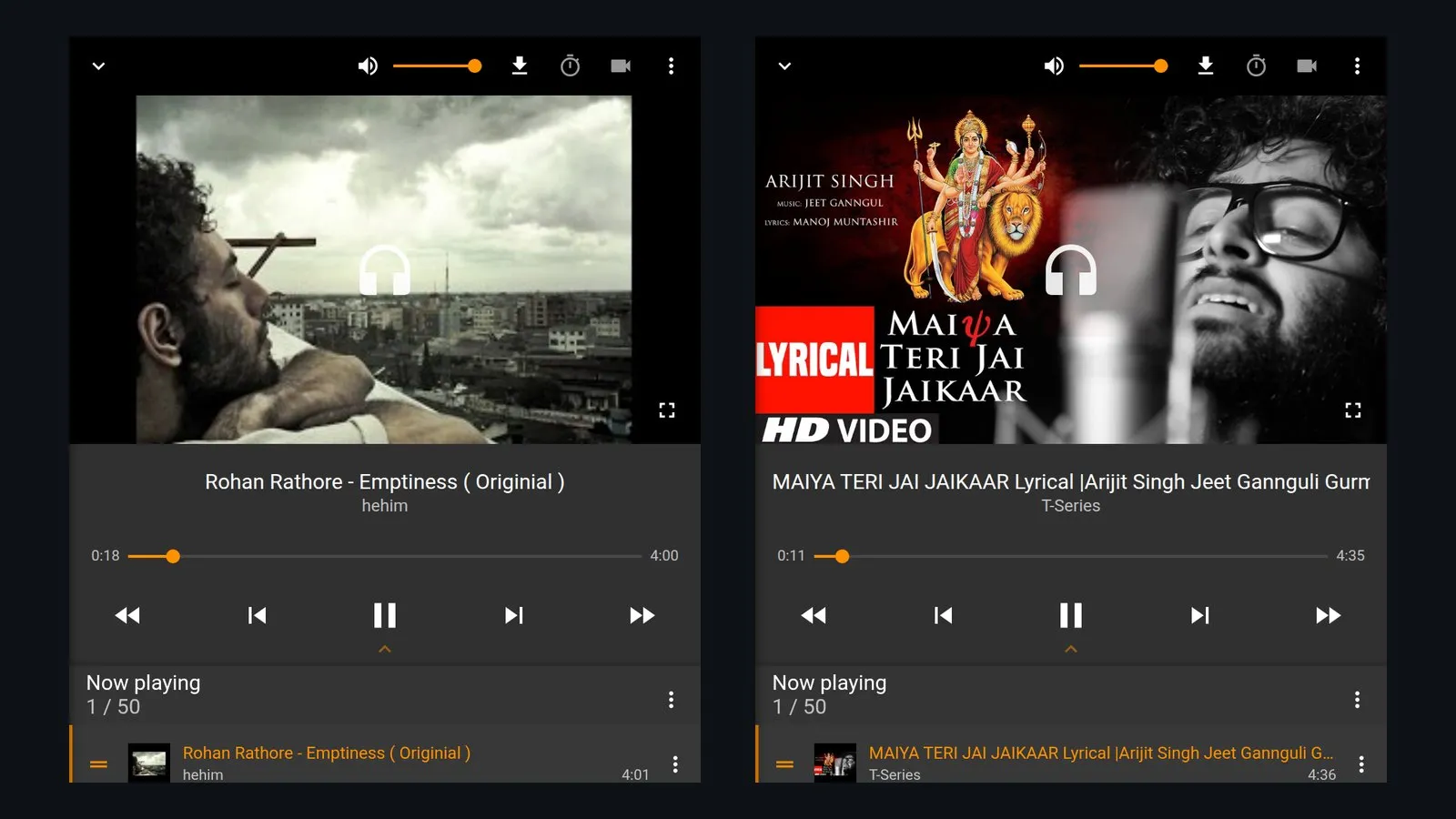
Every time I put a song on, an ad played first. Sometimes three. For just a three-minute song.
I didn’t want to pay for Premium. I almost never pay for anything when there’s another way. I also didn’t want an ad-blocking extension, or to switch to a different browser just for this. I wanted the thing I’d already been using on my phone, YMusic, but as a website, with the code sitting in my own folder.
So I built it.
What I ended up with
A music site that searches YouTube and plays the audio. It looks like YMusic: the same green toolbar, the same orange accent, the same list rows, the same queue under the player. It runs in any browser and there’s nothing to install. No ads, because the ads were never part of the audio in the first place.
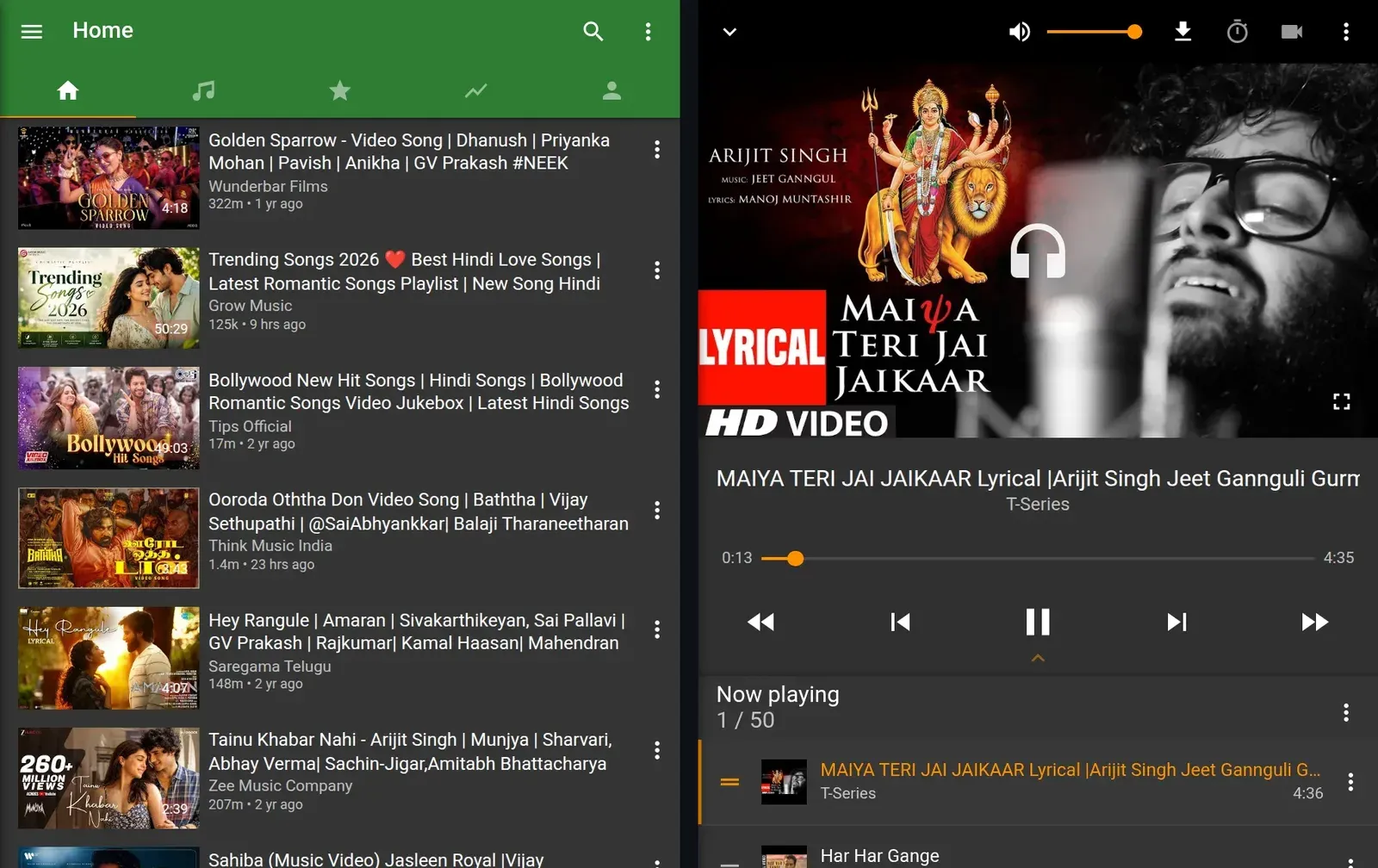
How it went
I gave the YMusic APK to Claude Code and told it to turn it into a website. I’d found rea, a tool for taking apps apart, and pointed Claude at it. It needed some extra setup I hadn’t done, so Claude did it and decompiled the APK. That was enough. It read the layout files and pulled out the exact colours and sizes.
The part I liked most: Claude used my real phone. I turned on USB debugging, and it took screenshots over ADB, tapped through the YMusic app, and looked at what came back. Every few minutes it was comparing the website against the actual app on my screen. It once tapped the wrong spot and opened my Clock app with half an alarm set. Fair enough.
The first version had a lot of bugs. I could not type in the search box. One bad line of code was eating every keypress. The back arrow threw me out of the site instead of going back one screen. Songs died about a megabyte in, because YouTube wants a token that only its own player normally sends, and Claude had to work out how to get one. I kept checking against my phone and sending it back with “this is wrong,” and it fixed things one by one.
All of that took one afternoon.
Things it does
- Search, queue with drag to reorder, playlists, likes and history
- Better sound than I expected: it picks the highest quality stream your browser can play
- Equalizer, playback speed, pitch and a sleep timer
- Skips the sponsor and intro bits inside videos
- Recommendations that learn from what I play. They’re stored in the browser only, and I can export them to another device
- Keyboard shortcuts, and it installs like an app on a phone
- Open a
/watch?v=link and it just plays that song
Why I like it
It’s mine. If a button annoys me, I change it. If something breaks, I read the code and fix it, and nobody can switch it off or put a paywall in front of it.
The code is on GitHub.